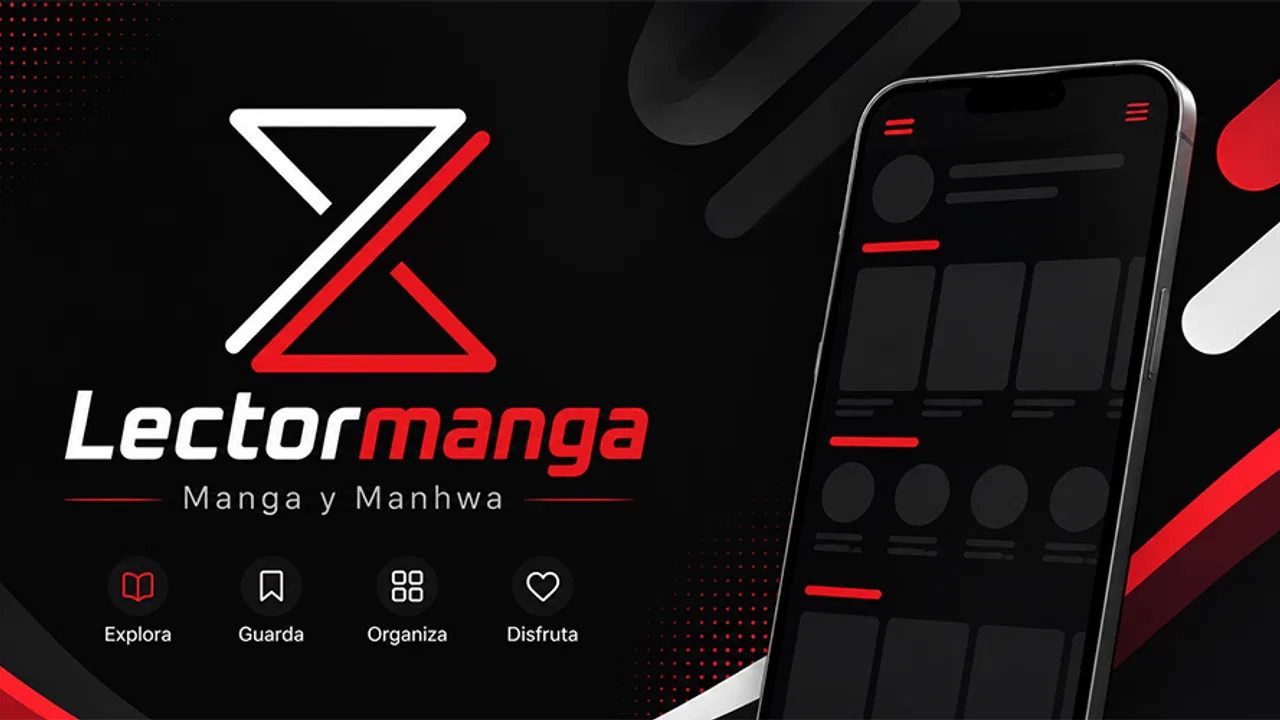
Lectormanga - Manga y Manhwa
- 0.0
- Rating
- 10.00K
- Installs
- Free
- Price
 Analysis by App-foxy
For anyone who reads manga and manhwa in Spanish, Lectormanga - Manga y Manhwa presents itself as a focused reading app rather than a broad entertainment platform. I approached it with a simple goal: install it, find something worth reading, and see whether the experience feels easier than relying on a mobile browser. That narrow purpose is also its main appeal. You are not opening it for games, social discussion, or a long list of unrelated media. You are opening it to read comics comfortably.
The app belongs to the Comics category and is developed by AWWSTUDIO. It is free to use, carries an Everyone age rating, and supports devices running Android 7.0 or later. Its current version is 1.0.4, while its release date is listed as July 4, 2026. Those details make it approachable for people using older Android phones, although the real question is not whether it installs easily; it is whether its reading flow suits the way you already follow manga and manhwa.
What reading with Lectormanga feels like
The first thing I noticed is how clearly the app is aimed at readers who want a direct route from opening the app to reading a chapter. The short store description is simply “Lectormanga,” and that minimal presentation matches the product’s identity. It does not try to explain itself as a huge media ecosystem. Instead, it puts the reading purpose front and center.
You May Also Like

 Blood Strike: 2.5 Anniversary
Blood Strike’s Loadouts Turn Every Drop Into a Tactical Gamble
A close look at Blood Strike’s custom loadouts: how fast access to signature weapons reshapes its battle royale rhythm, rewards preparation, and narrows the gap between fights.

 Pandora - Music & Podcasts
Pandora’s Music Is Easy to Start, but Harder to Recover
Pandora’s strength is its low-effort path from a seed to a station. Its weak spot is how much confidence it asks you to place in connection, setup, and quiet recovery.

 8 Ball Pool
8 Ball Pool Is Built on Rivalries, Rematches, and Routine
A close look at the rivalries, rematches, shared routines, and unanswered safety questions that turn a quick pool match into a persistent mobile community.

 Samsung Music
Samsung Music’s Quiet Strength Is Playing What You Already Own
Its reach comes less from spectacle than from dependable access to a personal library. That simplicity is both the app’s strongest retention engine and its ceiling.

 AccuWeather: Weather Radar
AccuWeather Review: A Quick, Clear Forecast for Everyday Decisions
For everyday plans, the best forecast is the one you can understand quickly. AccuWeather makes rain timing, radar, and local conditions easy to act on, with a few trade-offs.

 Hill Climb Racing
Why Hill Climb Racing Still Turns Crashes Into One More Run
A tiny car, a bumpy hill and one more upgrade: Hill Climb Racing keeps resurfacing because its simple chaos makes every near-miss feel personal.
More From Our News Desk



That focus is useful when I am reading during a short break. With a general browser, I may begin with a search, open several results, dismiss banners, adjust the page, and then work out where the chapter starts. A dedicated app can make that routine feel less scattered. Even when the actual reading material is the same, keeping the activity inside one application makes the habit more deliberate.
I would describe the experience as best suited to people who already know what they want to read. If you follow particular series, browse manga regularly, or switch between manga and manhwa, the app’s purpose is immediately understandable. If you expect detailed editorial recommendations, community features, or a carefully explained onboarding tour, you may find the experience more bare-bones than a larger reading service.
That distinction matters. A specialized reader does not automatically replace every other option. It can be more convenient than a browser for the act of reading, while a broader comics platform may be better for licensed discovery, curated collections, or a more polished account-based library. I see Lectormanga as a practical tool for accessing its reading environment, not as a complete replacement for every comics service.
The strongest reason to try it is simplicity: it keeps the purpose of reading visible instead of surrounding it with unrelated features. That is especially helpful on a phone, where every extra step and every crowded screen becomes more noticeable.
Installing it without overthinking the decision
Because the app is free, the initial decision is relatively low-risk for a compatible Android user. The minimum requirement of Android 7.0 means it is not limited to only recent phones. I would still leave some free storage available before installing any reading app, particularly if I plan to keep other media applications open or switch between several titles. The operating-system requirement tells me whether the installation is possible, but day-to-day comfort will also depend on the phone’s screen, battery condition, and connection quality.
Once installed, I recommend starting with a single reading goal instead of trying to explore everything immediately. Choose one title or one kind of series you already recognize. This gives you a meaningful test: can you reach a chapter, read several pages, and return later without feeling lost? Testing that basic loop is more useful than judging the app from its icon or first screen.
The Everyone rating also makes the app broadly approachable from an age-classification standpoint. That should not be confused with a guarantee that every comic available through a reading service will suit every reader. Manga and manhwa cover many themes, so I would still use personal judgement when choosing titles, particularly if a younger reader is using the device.
My recommended first-session routine
For a first session, I would follow a small sequence. Open the app when you have enough time to read a few pages, look for a familiar title or a series that genuinely interests you, and begin with one chapter rather than jumping between multiple choices. Pay attention to how comfortable the text is at your normal brightness and whether the page flow feels natural when holding the phone vertically.
This approach avoids a common mistake: deciding that a comics reader is good or bad before actually reading. Menus may appear simple, but the important test is the transition between selecting a title and following the artwork. If that transition is quick and the pages remain easy to follow, the app has already achieved its central purpose for me.
I also suggest trying the app in two different situations. First, use it on a stable connection while exploring. Then return to it during an ordinary moment, such as a commute break or while waiting for an appointment. The second test reveals whether the app fits real habits rather than only working during a deliberate review session. A reader that feels fine at home may feel less convenient when attention is divided and time is limited.
One useful habit is to stop at a natural chapter break instead of closing the app in the middle of a page. When I return to any reading application, I want to remember what I was doing without reconstructing the session. If the app’s navigation is not immediately obvious, ending at a clear point reduces that friction and makes the next visit more pleasant.
Finding the first meaningful success
The first meaningful success is not installing the app. It is reaching a comic and reading long enough to decide whether the presentation works for you. I would use a familiar series for this test because recognition removes one variable. If I already know the title, I can judge the reader itself instead of wondering whether my uncertainty comes from the catalog or the interface.
Look at the page as a reader, not as a tester. Can you follow panels without repeatedly pinching and dragging? Is the text readable at the size you normally use? Does the screen orientation feel suitable for the way the pages are presented? These are personal questions, but they are more important than a feature checklist. A phone reader can be technically functional and still be tiring after several minutes.
Manhwa can make this test especially useful because long vertical pages place different demands on a screen than traditional page layouts. Manga and manhwa are not interchangeable reading experiences, even when they appear in the same app. I would try at least one format that reflects my normal reading habit. Someone who mainly reads vertical-scroll manhwa may judge the app differently from someone who prefers page-by-page manga.
A realistic everyday scenario would be reading one chapter during a lunch break. I would open the app, locate the series, read without switching to a browser, and close it after reaching a sensible stopping point. If that routine feels calm rather than fiddly, Lectormanga has earned a place on my phone. If I spend more time searching, adjusting, or recovering my place than reading, the convenience advantage becomes much smaller.
Another practical test is to read with one hand. Many people use a phone while standing, waiting, or holding a bag. A reader that works only when both hands are free may be fine at home but awkward elsewhere. I would not assume that a reading app is comfortable simply because the pages load. Comfort includes grip, scrolling rhythm, text size, and how quickly I can pause without losing my place.
Small points that can prevent unnecessary frustration
New users may initially confuse the app’s role with that of a complete comics library. The name points toward Lectormanga, but the important expectation is that this is a reading-focused application. I would not install it expecting it to organize every comic I have ever read across different services. I would first see how its own reading flow works and then decide whether it complements my existing apps.
Another possible confusion is treating the free price as a promise that every aspect of the experience will match a premium subscription service. Free access can be attractive, but it may come with a simpler presentation or fewer conveniences than a paid platform. That is not automatically a flaw. It simply means I would judge the app by whether it lets me read comfortably and consistently, rather than expecting the same surrounding polish as a much larger service.
The version number, 1.0.4, also suggests that I should keep my expectations measured. I do not read that as a negative judgement; newer or actively developing apps can improve quickly. However, I would pay attention to how stable the basic reading loop feels before building my entire reading routine around it. The essential functions deserve priority over advanced expectations.
When something feels confusing, I would return to the simplest path: go back to the title, reopen the chapter, and check whether the problem is a navigation issue or a reading-format issue. This sounds obvious, but it prevents a common error in mobile apps: tapping through every available control without knowing what problem you are trying to solve. A focused reader rewards a focused approach.
I would also avoid judging the app solely by the number of titles visible during the first few minutes. A catalog can feel different depending on what I search for and how familiar I am with the available selection. The useful question is whether the titles I personally care about are reachable and readable. For a first-time user, that is a more honest measure than browsing without a specific target.
How it compares with browsers and larger reading services
The most obvious alternative is a mobile browser. A browser is flexible and familiar, and it lets me search across many websites. It may be the better choice when I need broad web access, want to compare sources, or already have a carefully organized bookmark system. Its weakness is that reading becomes mixed with tabs, page controls, notifications, and unrelated browsing.
Lectormanga makes more sense when I want a dedicated place for the reading activity. The trade-off is that I am accepting the app’s own structure instead of having the entire web available at once. For a reader who values a clean routine, that specialization is a benefit. For someone who constantly moves between different comic sources, the browser may remain more flexible.
Compared with a large subscription-based comics service, the difference is usually about ecosystem rather than the basic act of reading. Larger services may offer stronger discovery tools, account synchronization, curated recommendations, or a more developed library experience. Lectormanga appeals to me when I want a lighter, more direct way to read manga and manhwa without making the app itself the center of my entertainment life.
There is also a difference between reading convenience and content confidence. A comfortable interface does not by itself answer every question a careful reader may have about availability, source, or long-term access. I would choose the app for its practical reading role, while readers who place the highest priority on official licensing, formal publisher support, or a guaranteed cross-device library may prefer a recognized premium platform instead.
That does not make the choice universal. If I read only occasionally and already have a browser workflow that feels effortless, installing another app may add little. If I read frequently on Android and want to separate comics from ordinary browsing, the dedicated approach becomes more compelling. The right decision depends on whether the app removes a real annoyance from my current routine.
Who will get the most from it
I think the best match is a reader who wants manga and manhwa in one focused Android app, prefers a straightforward starting point, and does not need a large social or subscription ecosystem around the reading experience. It is also a sensible option for someone with an older compatible phone who wants to try a free comics reader rather than commit to a paid service immediately.
It may suit a student who reads a chapter between classes, a commuter who wants a dedicated reading routine, or someone who has grown tired of keeping several browser tabs open. In each case, the value comes from reducing the distance between deciding to read and actually reading. The app does not need to transform the habit; it only needs to make that habit less messy.
I would be more cautious if I needed sophisticated collection management, dependable synchronization across multiple platforms, or extensive editorial guidance. Readers who want to discover comics through staff picks, follow a formal subscription catalog, or manage a large personal archive may find a different service more satisfying. Likewise, people who rarely read manga or manhwa may not gain enough from a dedicated installation.
Parents and younger users should approach the Everyone rating sensibly. It indicates broad suitability at the app-classification level, but the themes of individual comics can vary widely. I would choose titles carefully rather than assuming that the rating applies equally to every story a reader might encounter.
Practical habits for a smoother reading routine
My first tip is to evaluate the app with the screen settings I actually use. Reading at maximum brightness for a short test can hide eye strain that appears later. I prefer to check a few pages at normal brightness and then continue for a longer stretch. That reveals whether the text and artwork remain comfortable in ordinary conditions.
My second tip is to separate discovery from reading. When I am undecided, I can spend too long browsing and mistake that time for a poor reading experience. I would first choose a title, then judge the chapter flow on its own. This makes the decision clearer and prevents the catalog screen from dominating my opinion.
My third tip is to test both a short session and a sustained session. A reader may feel quick for one page but become tiring after a full chapter, especially when manga panels and vertical manhwa layouts demand different gestures. This two-stage check is more revealing than simply confirming that a page opens.
My fourth tip is to keep a simple personal stopping point. If I know I usually read during short breaks, I can stop after a chapter or at a clear scene transition. That makes it easier to return later and helps me decide whether the app supports my real schedule instead of an idealized one.
Finally, I would update my judgement as the app evolves. With version 1.0.4 currently in place, I see Lectormanga as a focused product whose basic value should be tested directly. If future changes improve navigation or reading comfort, that could strengthen its position. For now, I would keep the assessment grounded in the experience that matters most: finding a comic and reading it without unnecessary obstacles.
My recommendation after using it
Lectormanga - Manga y Manhwa is worth trying if your main need is a free, focused way to read manga and manhwa on an Android device. I like that its purpose is easy to understand, its age rating is broad, and its Android compatibility includes older versions. The app feels most valuable when it replaces a scattered browser routine with a single place dedicated to comics.
My recommendation is more qualified for readers seeking a complete premium ecosystem. If you need advanced library tools, formal subscription benefits, or a broad cross-platform reading account, I would compare it with a larger established service before making it your only option. If you mainly want a straightforward reading companion and are willing to judge it by actual chapter comfort, it has a clear reason to exist.
For a first-time user, the safest path is simple: install it, choose one familiar title, read a full section under normal conditions, and decide whether the app makes your routine easier. That test costs nothing because the app is free, and it gives you a much better answer than relying on a quick glance at the opening screen. In my view, that directness is the app’s most convincing quality.
After that first successful session, I would keep it if I found myself opening it naturally whenever I wanted manga or manhwa. I would remove it if the catalog, navigation, or reading comfort did not match my habits. It is a practical choice for focused reading, but its value depends on whether that focused approach fits the way you already enjoy comics.
FAQs for Lectormanga - Manga y Manhwa
01What is Lectormanga - Manga y Manhwa?
Lectormanga - Manga y Manhwa is an app designed for reading manga, manhwa, and related digital comics on a mobile device. It generally brings series, chapters, genres, and reading lists together in one place, making it easier to discover new titles and continue ongoing stories. Before downloading, users should check the current catalog, supported languages, and availability of specific series, since content can change over time.
02Is Lectormanga - Manga y Manhwa free to use?
The app may be available to download without an upfront charge, but the overall experience can depend on its current monetization model. Some sections may include advertising, optional features, or other limitations. We recommend reviewing the information shown on the official Google Play or App Store listing before installing, especially if you want to know whether reading chapters requires an account, payments, or an internet connection.
03Does Lectormanga support offline manga or manhwa reading?
Offline reading depends on the version of the app and whether each title provides a download option. In our experience with comic-reader apps, some chapters can only be viewed while connected to the internet, while others may be temporarily saved for later access. Check the chapter menu and the app’s storage permissions before relying on it during travel or in places with limited connectivity.
04Is Lectormanga - Manga y Manhwa safe to install?
The safest way to install Lectormanga - Manga y Manhwa is through a legitimate store or the developer’s verified distribution channel. Before downloading, check the developer name, recent reviews, update history, requested permissions, and privacy information. Avoid modified APK files or unofficial download pages, as they may contain unwanted software. Also remember that the app’s safety and content policies can change after updates.
05What should I know about the content and reading experience?
Lectormanga - Manga y Manhwa may include stories aimed at different age groups, with genres that can contain violence, mature themes, romance, or other sensitive material. Parents should review the app before allowing younger users to access it. Reading quality can also vary by series, including image resolution, translation consistency, page loading speed, and chapter availability, so checking user feedback is advisable.
Pros
- Large catalog of manga and manhwa in Spanish
- Simple interface makes browsing and reading straightforward
- Useful genre and title search filters
- Reading progress helps you resume chapters easily
- Regular catalog updates can bring new chapters quickly
Cons
- Some titles may have incomplete or outdated chapters
- Ad frequency can interrupt browsing or reading
- Translation quality may vary between different series
- Requires internet access for much of the catalog
- Availability of titles can change without notice

Lectormanga - Manga y Manhwa
Gallery